Profile & Settings
This documentation is actively maintained. Features described here may change as the platform evolves. Last reviewed: February 2025.
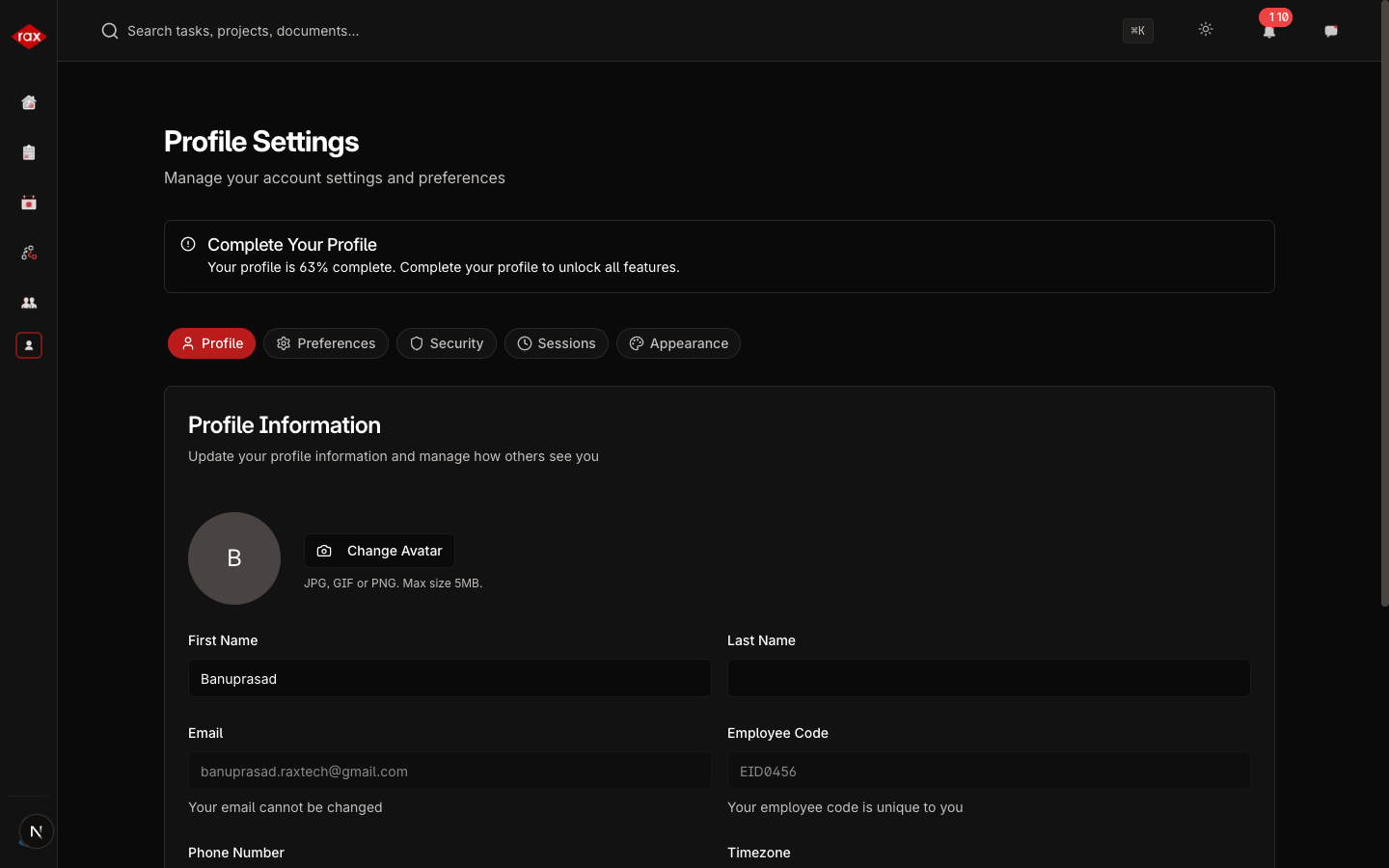
The Profile page lets you manage your personal information, customize the app appearance, update security settings, and configure notification preferences.
Profile Information
Update your personal details:
| Field | Description |
|---|---|
| First Name | Your first name |
| Last Name | Your last name |
| Your work email (read-only) | |
| Employee Code | Your unique ID (read-only) |
| Phone | Your contact number |
| Department | Your department (read-only, set by admin) |
| Team | Your team (read-only, set by admin) |
| Timezone | Your preferred timezone |
| Profile Picture | Upload a photo |
A profile completion indicator shows how complete your profile is. Fill in all fields for a 100% profile.
Appearance
Customize how the app looks:
| Option | Description |
|---|---|
| Light Mode | Light background with dark text |
| Dark Mode | Dark background with light text |
| System | Automatically matches your device's theme |
The theme change takes effect immediately.
Security
Manage your account security:
- Change Password — Update your current password
- Login History — View recent login activity on your account
Choose a strong password and don't share it with others. If you suspect unauthorized access to your account, change your password immediately and contact your administrator.
Preferences
Configure how the app behaves:
- Notification Preferences — Choose which types of notifications you receive
- Email Notifications — Enable or disable email alerts
- Default Views — Set your preferred default views for various pages
Sessions
View and manage your active sessions:
- Active Sessions — See all devices/browsers where you're logged in
- Device Info — Browser, operating system, and location
- Last Activity — When each session was last active
- Remote Logout — Sign out from any session remotely
If you see a session you don't recognize, use Remote Logout to end it and then change your password.