People
This documentation is actively maintained. Features described here may change as the platform evolves. Last reviewed: February 2025.
The People page is your organization directory. It shows all team members and provides tools for managing teams and departments.
Your Role on This Page
- Admin
- Department Lead
- Team Lead
- Member
As an Admin, you can view all users and manage departments and teams. You can invite new members, edit member details, create and edit teams, and manage the entire organizational structure.
As a Department Lead, you can view department members and manage teams in your department. You can see all members in your department and the teams they belong to.
As a Team Lead, you can view your team members. You can see everyone in your team and their contact information.
As a Member, you can view the team directory. You can see your colleagues' contact information and send them messages.
View Modes
You can browse people in three ways:
| View | Description |
|---|---|
| All People | A complete list of everyone in the organization, displayed as a searchable table |
| By Department | People grouped by department, shown as expandable cards |
| By Team | People grouped by team, shown as expandable cards |
Finding People
Use the search and filter tools at the top of the page:
- Search — Type a name, email, or employee code
- Status filter — Show Active or Invited members
- Role filter — Filter by specific role
- Department filter — Show only a specific department
- Team filter — Show only a specific team
- Department Lead
- Team Lead
- Member
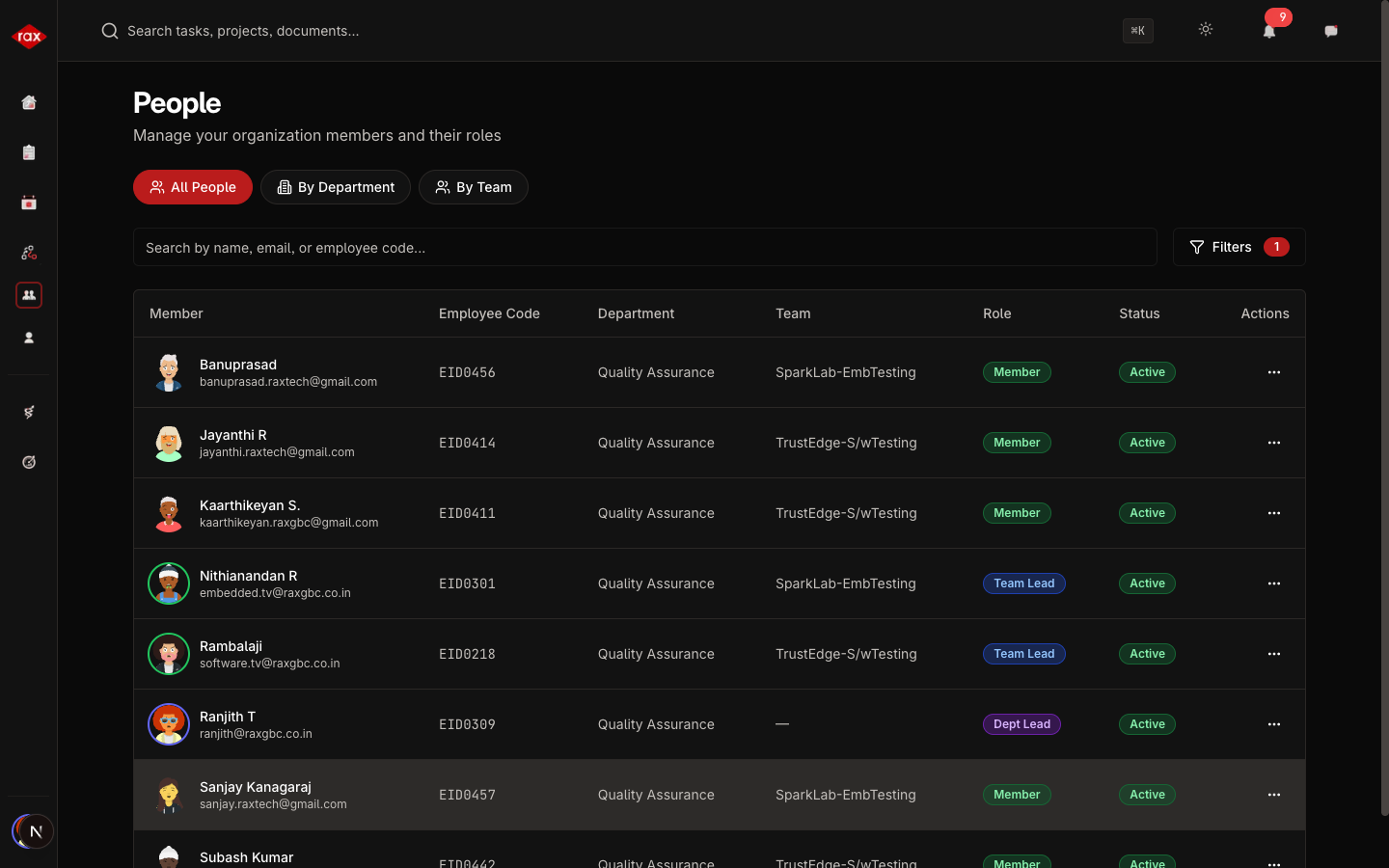
Member Information
Each person's profile shows:
| Field | Description |
|---|---|
| Name | First and last name |
| Employee Code | Unique identifier |
| Work email address | |
| Phone | Contact number |
| Role | Their assigned role (Admin, Lead, Member, etc.) |
| Department | Which department they belong to |
| Team | Which team they're assigned to |
| Status | Active (logged in at least once) or Invited (hasn't registered yet) |
Actions
For Everyone
- View profile — Click on a person to see their full details
- Send message — Start a direct message conversation
For Administrators
- Invite new members — See Inviting Members
- Edit member details — Change role, department, or team assignments
- Create teams — Set up new teams within departments
- Edit teams — Rename teams or change team leads
- Edit departments — Update department information