Calendar
This documentation is actively maintained. Features described here may change as the platform evolves. Last reviewed: February 2025.
The Calendar is your central hub for managing events, viewing holidays, and requesting leave. It displays a monthly view with visual indicators for different types of days.
Your Role on This Page
- Admin
- Department Lead
- Team Lead
- Member
As an Admin, you have access to the full calendar with the ability to manage holidays and approve all leave requests. You can create organization-wide events and manage the holiday calendar.
As a Department Lead, you see the department calendar and can approve leave requests for your department. You can create department-scoped events and manage leave for department members.
As a Team Lead, you see the team calendar and can view leave schedules for your team. You can create team events and monitor team availability.
As a Member, you see your personal calendar where you can request leave and view events. You can create personal events and submit leave requests for approval.
Calendar View
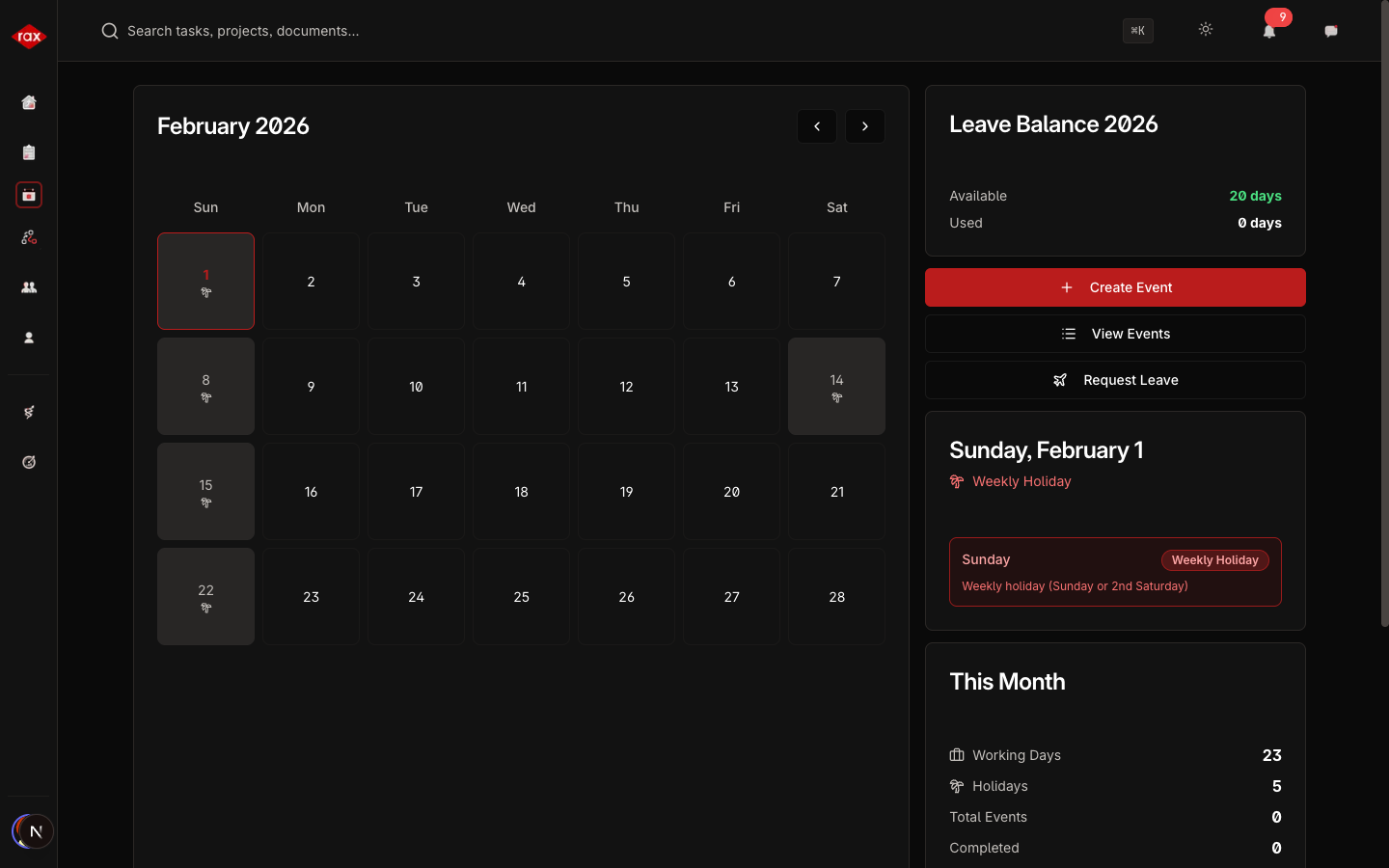
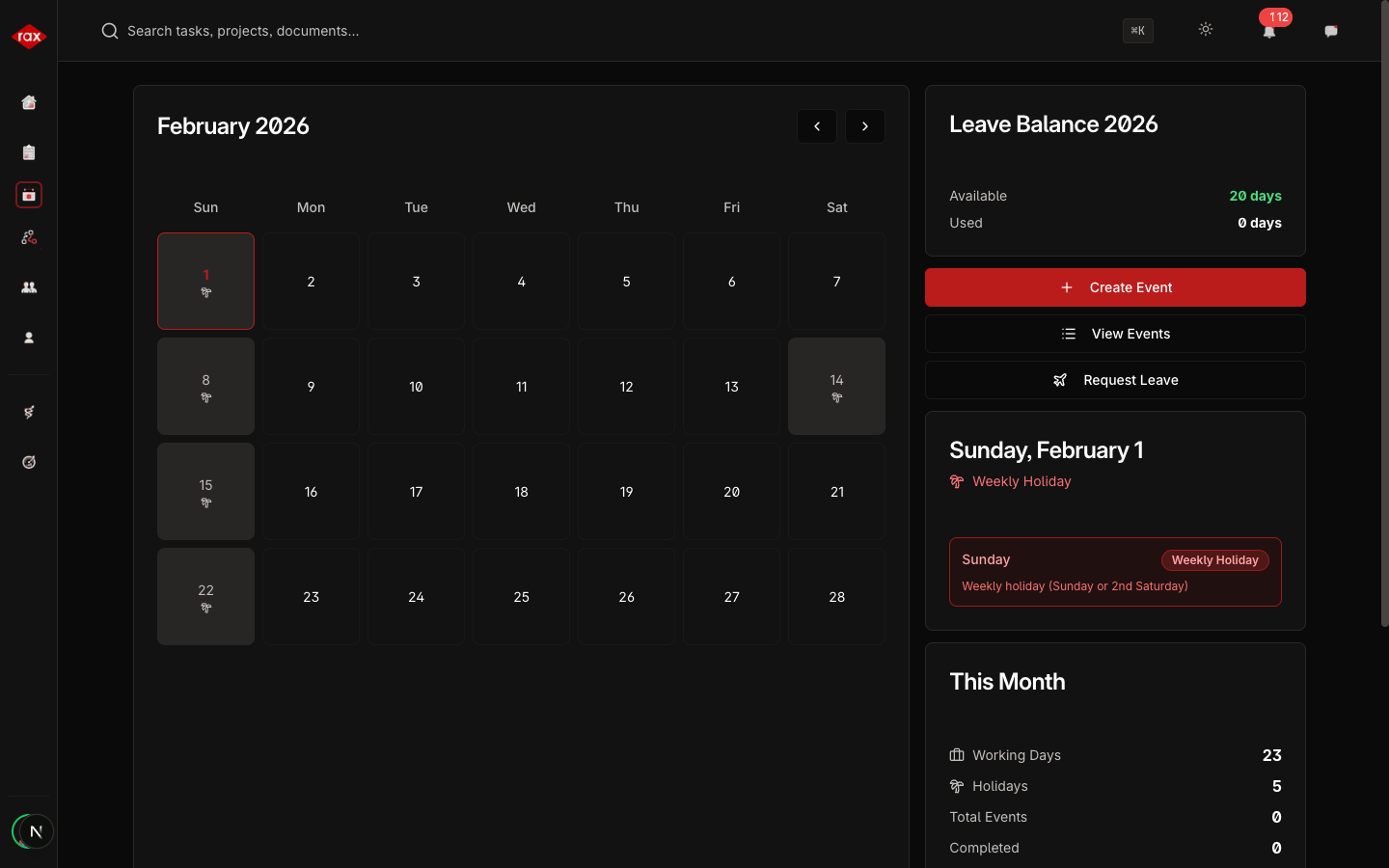
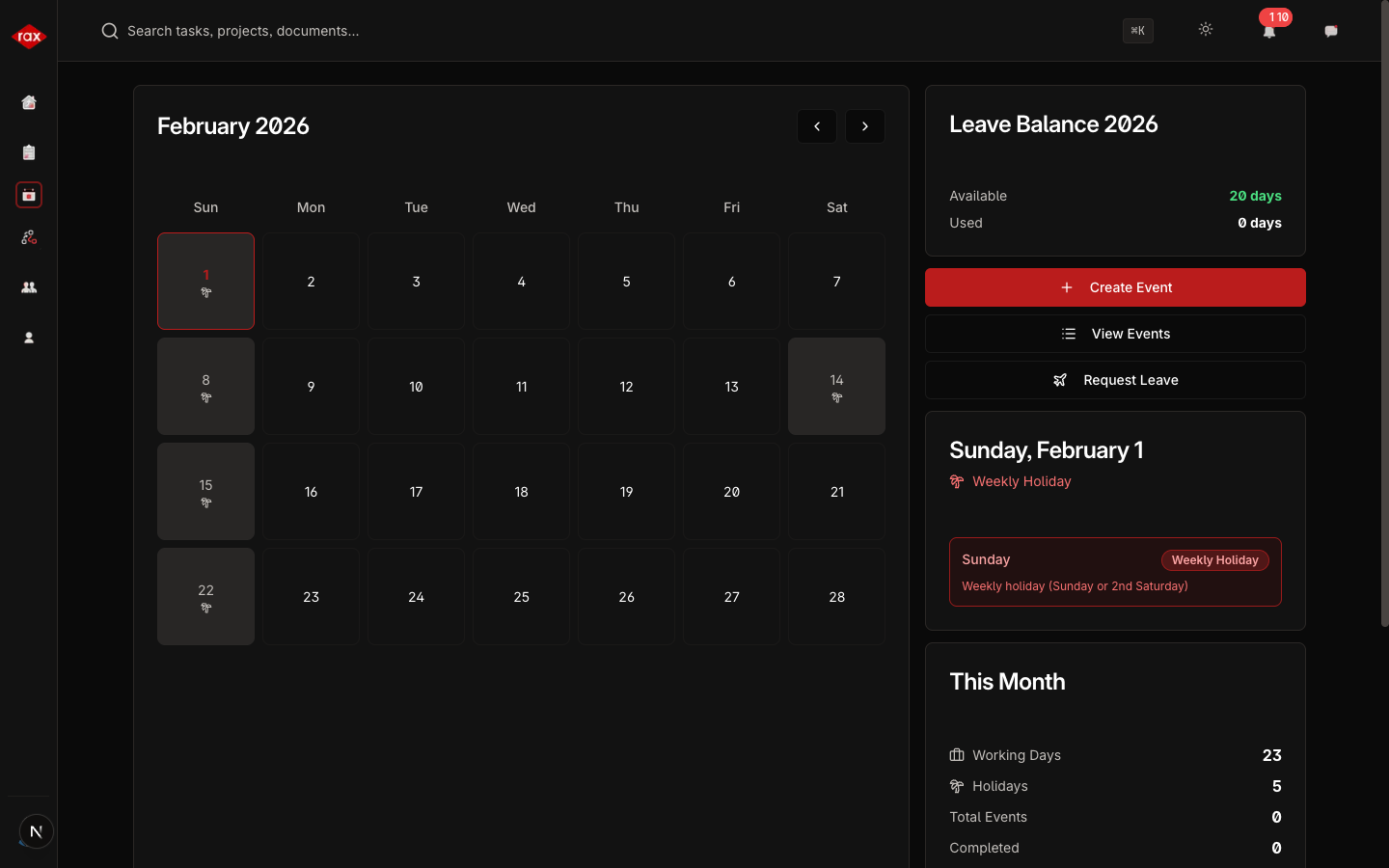
The calendar shows a monthly grid where each day is color-coded:
| Color/Indicator | Meaning |
|---|---|
| Default | Regular working day |
| Highlighted (red) | Public holiday |
| Highlighted (gray) | Weekly holiday (Sundays, 2nd Saturdays) |
| Highlighted (blue) | You have approved leave |
| Colored dots | Events scheduled on that day (up to 3 shown) |
Click on any day to see the details for that date — events, holidays, and leave information.
- Department Lead
- Team Lead
- Member
Month Statistics
At the top of the calendar, you'll see a summary for the current month:
- Working Days — Total number of working days
- Holidays — Number of holidays
- Total Events — How many events are scheduled
- Completed Events — Events that have already happened
- Upcoming Events — Events still to come
Leave Balance Card
Below the calendar, your leave balance is displayed:
- Available — Days you can still take off
- Used — Days you've already taken
- Pending — Leave requests waiting for approval
Key Actions
- Create Event — Schedule meetings, deadlines, or activities. See Events.
- Request Leave — Submit a leave request for approval. See Leave Management.
- View Holidays — See company holidays. See Holidays.